Overview
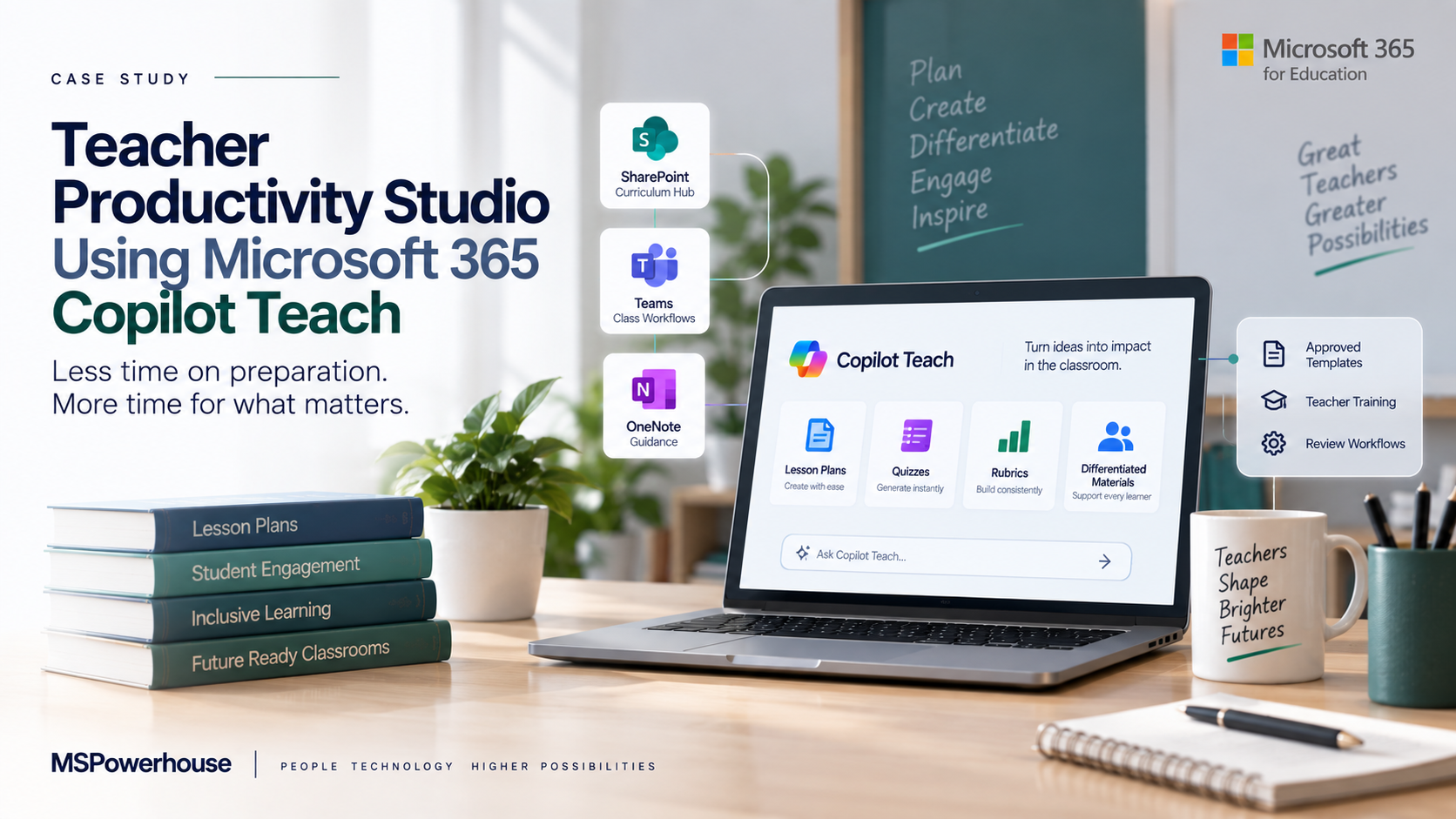
A school wanted to reduce teacher workload without lowering instructional quality. Teachers were spending significant time creating lesson plans, quizzes, rubrics, study guides, differentiated materials, and parent updates. The problem became worse when teachers had to adjust materials for different reading levels, student accommodations, English language learners, and grade-specific standards. MSPowerhouse implemented a teacher productivity model built around Microsoft 365 Copilot's education tools, including Teach, Microsoft Teams, OneNote, and SharePoint-based curriculum resources. Before Implementation Before the project, teachers were doing too much repetitive preparation manually. A teacher might create a lesson plan in Word, a quiz in Forms, a rubric in a spreadsheet, an assignment in Teams, and parent notes in Outlook. Materials were saved in personal OneDrive folders or reused from old files with inconsistent formatting. New teachers had difficulty finding approved content. Department heads had limited visibility into what was being reused, modified, or shared. The school's instructional leadership had three concerns: Teachers were spending too much time preparing materials. There was no consistent structure for lesson planning and rubrics. AI was being used by some teachers, but without school-approved standards. What We Implemented MSPowerhouse built an AI-assisted Teacher Productivity Studio using Microsoft 365. The implementation included: A SharePoint curriculum hub organized by grade, subject, and term. Approved lesson plan templates. Approved quiz and rubric templates. Copilot Teach training for lesson planning, quizzes, rubrics, reading-level adjustments, and content modification. Teams-based class assignment workflows. OneNote Class Notebook guidance for distributing resources. Prompt libraries for teachers. Review workflows for department leads. Guidance on when AI-generated content must be reviewed before use. The goal was not to let AI replace teacher judgment. The goal was to reduce repetitive drafting so teachers could spend more time teaching, coaching, and working with students. Challenge During the Project The biggest challenge was quality control. Teachers wanted speed, but school leadership needed consistency. MSPowerhouse solved this by creating a "draft, review, adapt" model. AI could help generate a first draft, but teachers still owned the final instructional decision. Department leads could review shared templates, and approved content could be stored in the curriculum hub for reuse. After Implementation After implementation, teachers had a more consistent and faster way to create instructional materials. A teacher could start with a school-approved template, use Copilot Teach to draft a lesson plan or rubric, adjust the reading level, create a quiz, and store the final version in the correct SharePoint curriculum location. New teachers could find approved materials more easily, and department heads had better visibility into shared instructional resources.
Challenge
- Teachers spent significant time on repetitive lesson, quiz, and rubric prep.
- Materials were saved in personal OneDrive folders with inconsistent formats.
- AI use was uneven and not aligned to school-approved standards.
Solution
Built a SharePoint curriculum hub organized by grade, subject, and term. Approved lesson plan, quiz, and rubric templates. Copilot Teach training for lesson planning, reading-level adjustments, and rubrics. Teams assignment workflows and OneNote Class Notebook guidance.
Technical Execution
- Built a SharePoint curriculum hub organized by grade, subject, and term.
- Approved lesson plan, quiz, and rubric templates.
- Copilot Teach training for lesson planning, reading-level adjustments, and rubrics.
- Teams assignment workflows and OneNote Class Notebook guidance.
Outcome
The school gained: Faster lesson preparation. More consistent rubrics and assignments. Better reuse of approved curriculum materials. Teacher training around responsible AI use. A central curriculum resource library. Reduced dependency on scattered personal files. A stronger foundation for instructional coaching. Why This Matters for Schools Teacher burnout is real, and much of it comes from repetitive work that technology can help reduce. MSPowerhouse implemented a practical AI-supported teacher workflow that made Microsoft 365 useful in the daily life of teachers, not just in the IT department.