Overview
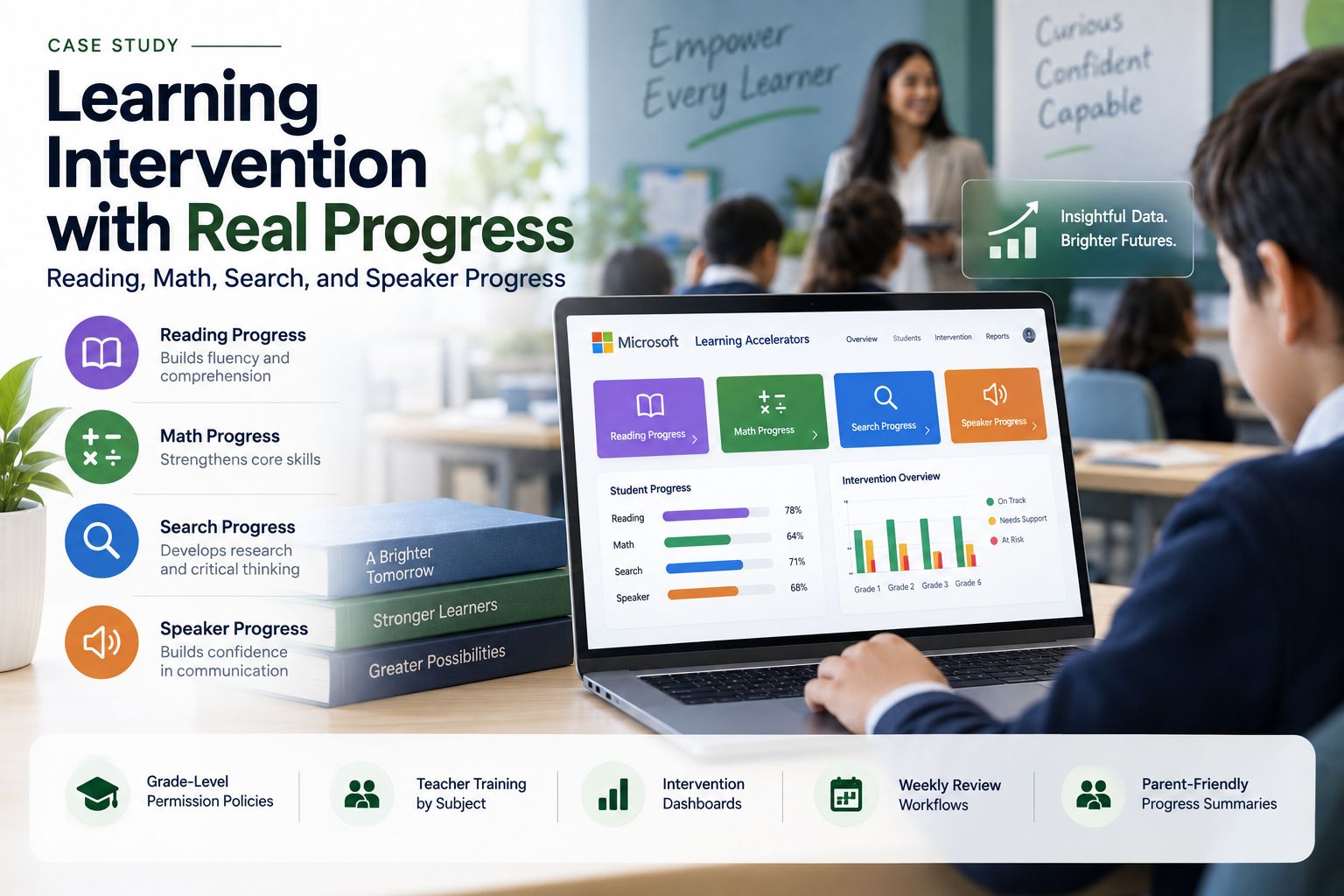
A school wanted to identify learning gaps earlier and support students before they failed assessments. Teachers were already collecting reading, math, research, and presentation evidence, but much of it was informal. Reading fluency was tracked manually. Math gaps were discovered too late. Research skills were difficult to measure. Public speaking practice happened only during major assignments. MSPowerhouse implemented a Learning Accelerators-based intervention model using Microsoft Teams for Education. Before Implementation Before the project, student intervention depended heavily on teacher observation and end-of-unit grades. A student might struggle with reading fluency for weeks before it became visible in grades. A math concept gap might not be clear until the test. Students were using online sources without knowing how to evaluate credibility. Presentation anxiety was only addressed when a student had to present in front of the class. Teachers cared deeply, but they did not have a consistent system to capture practice evidence, see patterns, or intervene early. What We Implemented MSPowerhouse deployed Microsoft Learning Accelerators through Teams Assignments and built an intervention workflow around them. The implementation included: Reading Progress for fluency practice and review. Math Progress for targeted math assignments and gap identification. Search Progress for research assignments and source evaluation. Speaker Progress for presentation practice and communication skills. Teams app permission policies for approved grade levels. Teacher training by subject area. Intervention dashboards for grade leads and academic support staff. Weekly review workflows for students flagged for additional support. Parent-friendly progress summary templates. Administrator visibility into class-level and grade-level trends. Challenge During the Project The main challenge was making the tools part of the school's instructional rhythm instead of another "new app." MSPowerhouse worked with teachers to choose real use cases: Reading Progress for weekly fluency checks in elementary grades. Math Progress for middle school skill recovery. Search Progress for high school research projects. Speaker Progress for presentations, debates, and oral reports. By tying each tool to an existing classroom need, adoption became practical. After Implementation After implementation, teachers could assign targeted practice, review student progress, and see evidence that was previously difficult to collect. Students received more practice and feedback before major assessments. Academic support teams had better visibility into where intervention was needed. For example, a student struggling with reading fluency could be identified from repeated Reading Progress submissions. A math teacher could see that several students missed the same concept and reteach it before the test. A high school teacher could review how students evaluated sources before grading the final research paper.
Challenge
- Learning gaps were found too late, after assessments failed.
- Fluency, math, research, and presentation evidence were tracked informally.
- Tools were seen as 'another new app' rather than part of instructional rhythm.
Solution
Deployed Reading, Math, Search, and Speaker Progress with grade-level app policies. Teacher training by subject area with real use cases per grade band. Intervention dashboards for grade leads and academic support staff. Parent-friendly progress summary templates and weekly review workflows.
Technical Execution
- Deployed Reading, Math, Search, and Speaker Progress with grade-level app policies.
- Teacher training by subject area with real use cases per grade band.
- Intervention dashboards for grade leads and academic support staff.
- Parent-friendly progress summary templates and weekly review workflows.
Outcome
The school gained: Earlier identification of learning gaps. More consistent intervention data. Better reading fluency support. More targeted math practice. Stronger research and information literacy instruction. Improved presentation practice. Better teacher visibility into student progress. More meaningful parent communication. Why This Matters for Schools Intervention should not wait until failure. MSPowerhouse implemented a Microsoft Education workflow that helps schools catch learning gaps while there is still time to help.