Overview
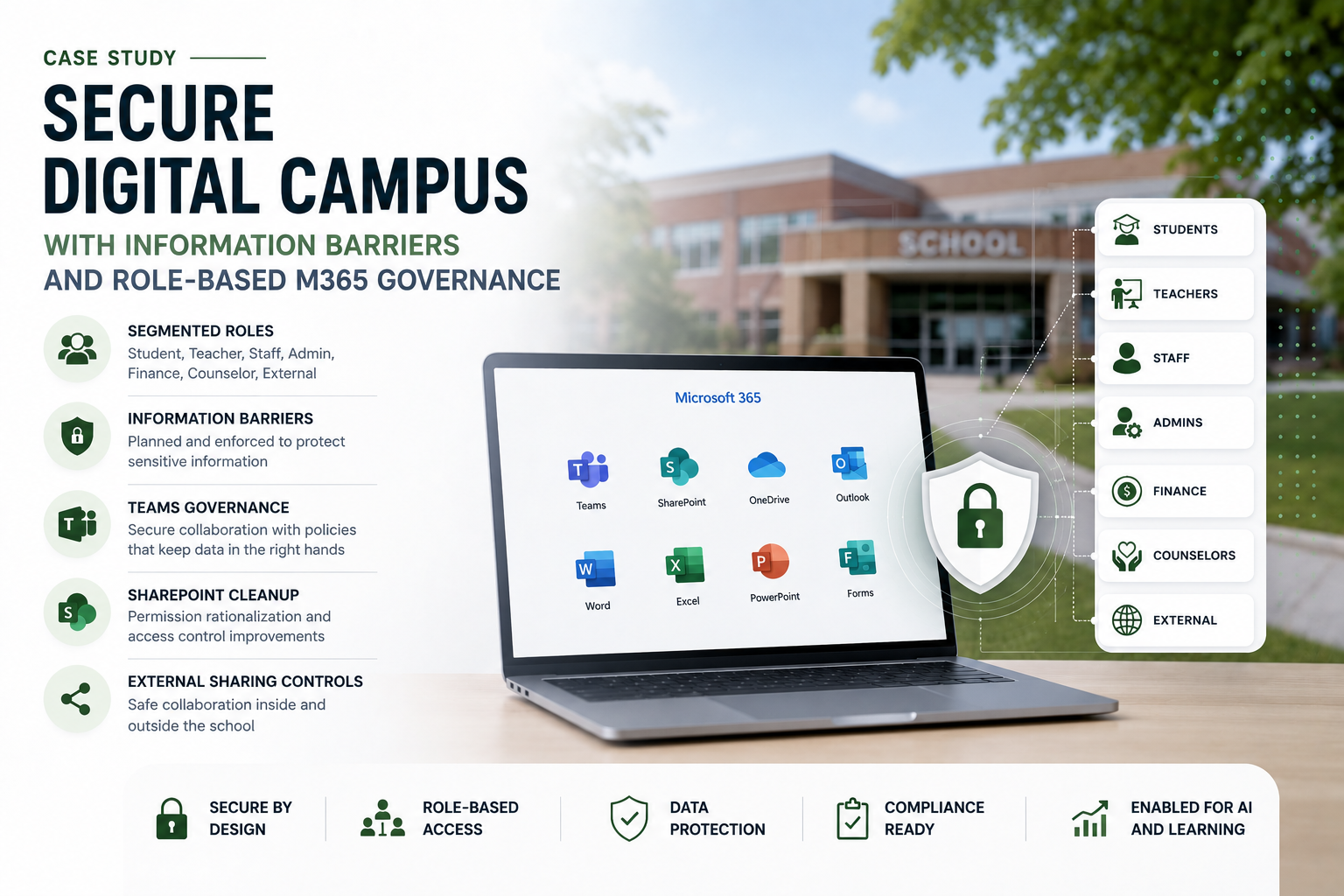
A school had grown its Microsoft 365 environment quickly, but governance had not kept pace. Students, teachers, administrators, counselors, finance staff, board members, and external users all existed in the same tenant. Teams, SharePoint sites, OneDrive sharing, and email groups had been created over time with inconsistent rules. The school wanted to adopt more Microsoft Education and AI features, but leadership first needed confidence that the digital campus was safe. MSPowerhouse implemented a secure digital campus governance model using Microsoft 365 security and compliance controls. Before Implementation Before the project, the school's Microsoft 365 environment worked, but it was too open. Students could find users they should not contact. Staff were unsure where sensitive documents should live. External sharing was inconsistent. Some Teams were created without naming standards or owners. OneDrive links were shared broadly. Departments such as HR, finance, counseling, and leadership had sensitive content but no consistent classification model. The school wanted to expand digital learning and AI, but the foundation needed to be cleaned up first. What We Implemented MSPowerhouse designed and implemented a Microsoft 365 governance model for education. The implementation included: Student, teacher, staff, admin, finance, counselor, and external user segmentation. Information Barrier planning and policy design. Teams governance by grade, school, program, and department. SharePoint site permission cleanup. OneDrive sharing policy review. External sharing controls. Sensitivity label planning for student records, HR, finance, legal, and board content. Conditional Access policies for staff and administrators. Intune compliance requirements for managed devices. Microsoft Defender and security review. Copilot readiness controls. Documentation for school leadership and IT admins. Challenge During the Project The biggest challenge was balancing safety with usability. A school cannot simply lock everything down. Teachers need to communicate with students. Students need to collaborate. Counselors need access to support records. Finance and HR need confidentiality. External vendors may need limited access. Board members may need secure document access. MSPowerhouse worked with the school to map real education relationships before configuring policies. The goal was not maximum restriction. The goal was safe, intentional collaboration. After Implementation After implementation, the school had a cleaner and safer Microsoft 365 environment. Students, teachers, and staff were organized into defined segments. Sensitive departments had stronger access boundaries. External sharing was reduced and better governed. Teams and SharePoint permissions became more intentional. IT had a clearer operating model for new Teams, sites, users, and devices. The school was also in a better position to roll out AI tools because the underlying permissions, sharing, and identity structure were more controlled.
Challenge
- Students could find users they should not contact.
- Teams were created without naming standards or owners; OneDrive sharing was broad.
- Sensitive departments (HR, finance, counseling) lacked consistent classification.
Solution
Mapped real education relationships before configuring policies. Segmented users: students, teachers, staff, admins, finance, counselors, external. Designed Information Barriers and Teams governance by grade/school/program/department. Cleaned up SharePoint site permissions and external sharing.
Technical Execution
- Mapped real education relationships before configuring policies.
- Segmented users: students, teachers, staff, admins, finance, counselors, external.
- Designed Information Barriers and Teams governance by grade/school/program/department.
- Cleaned up SharePoint site permissions and external sharing.
Outcome
The school gained: Safer student/staff collaboration. Better control over Teams, SharePoint, and OneDrive. Reduced external sharing risk. Stronger protection for HR, finance, counseling, and student records. Clearer governance for Microsoft 365. Improved readiness for Copilot and AI adoption. Better IT documentation and administrative control. Why This Matters for Schools AI and modern collaboration only work safely when the Microsoft 365 foundation is governed. MSPowerhouse implemented the controls schools need before expanding digital learning, AI access, and external collaboration.