Overview
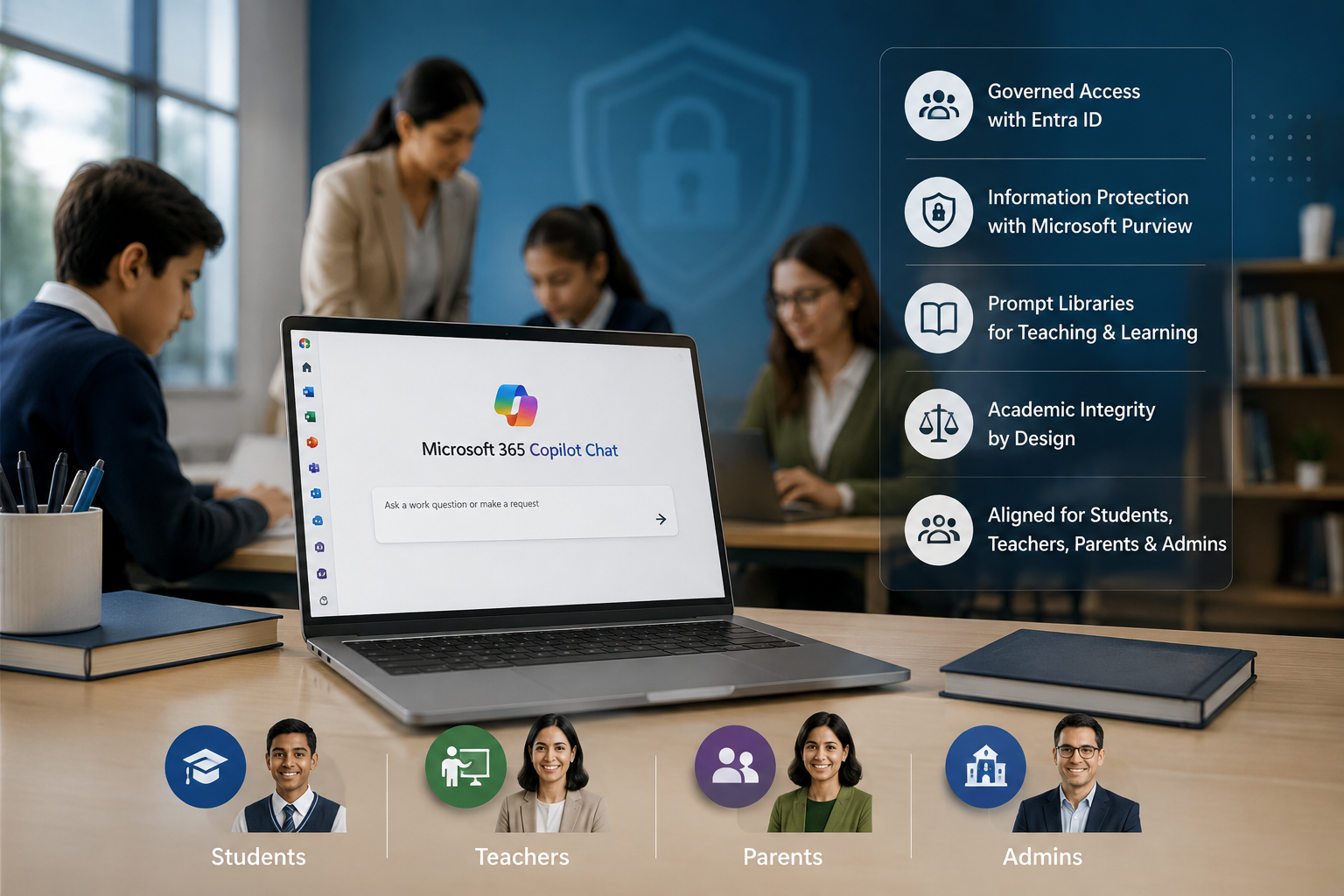
A school was already facing the reality of AI before it had an official AI strategy. Students were using public AI tools on personal accounts, teachers were experimenting independently, and leadership was concerned about academic integrity, privacy, inconsistent expectations, and the lack of visibility into how AI was being used. The school did not want to ban AI, because leadership understood that students needed AI literacy. At the same time, they could not allow uncontrolled AI usage with student data, school documents, and classroom work. MSPowerhouse helped the school move from shadow AI usage to a governed Microsoft 365 Copilot Chat rollout. Before Implementation Before the project, AI use was fragmented and unmanaged. Teachers were creating their own rules. Some allowed AI for brainstorming. Others banned it completely. Students were confused because expectations changed by class. Some students used personal AI tools to generate entire assignments, while others avoided AI completely because they were afraid of violating school rules. Administrators had no structured policy, no approved AI environment, no training plan, and no clear way to explain AI usage to parents. The IT team was also concerned that students and staff might paste sensitive information into consumer AI tools outside the school's Microsoft 365 environment. The school needed a controlled way to answer four questions: Which AI tools are approved? Which students and staff can use them? What data should never be entered? How do we teach responsible use instead of pretending AI does not exist? What We Implemented MSPowerhouse implemented a governed AI rollout using Microsoft 365 Copilot Chat and Microsoft 365 security controls. The rollout included: Enabling Copilot Chat only for approved student and staff groups. Creating separate AI policies for middle school, high school, teachers, and administrators. Using Entra ID groups to control phased access. Reviewing Microsoft 365 data protection settings before rollout. Creating staff-facing prompt libraries for lesson support, parent communication, rubric drafts, and administrative summaries. Creating student-facing responsible AI guidance. Creating an "AI acceptable use" policy for parents and students. Adding Microsoft Purview and information protection guidance around sensitive data. Training teachers on when AI should assist instruction and when it should not. Helping leadership build a practical academic integrity framework. Challenge During the Project The biggest challenge was not technical enablement. It was adoption and trust. Teachers were concerned that AI would make cheating easier. Parents were concerned that students would become dependent on AI. Administrators were worried about approving a tool they did not fully understand. MSPowerhouse addressed this by separating AI use cases into three categories: 1. Approved and encouraged uses, such as brainstorming, studying, outlining, and teacher-reviewed drafts. 2. Restricted uses, such as submitting AI-generated work as original student work. 3. Prohibited uses, such as entering private student records, health details, disciplinary records, or confidential school information. This gave the school a policy that teachers could enforce and students could understand. After Implementation After implementation, the school had a governed AI environment instead of uncontrolled AI usage. Students received clear guidance on responsible AI use. Teachers received practical examples of how to use AI for planning, differentiation, and feedback support. Administrators gained a safer Microsoft 365-based AI path instead of students and staff relying on unmanaged consumer tools. The school's conversation changed from "Should we block AI?" to "How do we teach students to use AI responsibly?"
Challenge
- Students and teachers were using consumer AI tools with no school-wide policy.
- Leadership had no visibility into AI usage and no academic-integrity framework.
- Sensitive student/operational data risked being pasted into unmanaged tools.
Solution
Enabled Copilot Chat for approved student/staff groups with phased Entra ID access. Separate AI policies for middle, high, teachers, and administrators. Purview/information protection guidance for sensitive data and prompt libraries for staff. Built an academic-integrity framework: approved, restricted, and prohibited uses.
Technical Execution
- Enabled Copilot Chat for approved student/staff groups with phased Entra ID access.
- Separate AI policies for middle, high, teachers, and administrators.
- Purview/information protection guidance for sensitive data and prompt libraries for staff.
- Built an academic-integrity framework: approved, restricted, and prohibited uses.
Outcome
The school gained: A secure AI adoption framework. Approved AI access for students and staff. Clear AI usage expectations. Teacher training and prompt libraries. Parent-facing AI guidance. Better protection against sensitive data being entered into unmanaged AI tools. A practical foundation for future AI learning initiatives. Why This Matters for Schools Schools do not need more AI hype. They need a safe way to adopt AI without losing control of student data, academic expectations, or parent trust. MSPowerhouse implemented a model that allows schools to teach AI literacy while keeping governance, safety, and compliance at the center.