An engineering and financial analysis of the $22 vs. $36 licensing decision, the 300-seat ceiling, and the endpoint security paradox for midsize organizations.
Every growing business reaches a point where entry-level cloud licensing no longer keeps pace with security and compliance obligations. As headcounts expand between 20 and 250 employees, leadership faces mounting pressure from client security questionnaires, cyber insurance renewals, and remote work demands. At this junction, organizations frequently receive outdated advice from procurement reps or legacy consultants: upgrade everyone to Microsoft 365 E3. The assumption is that 'Enterprise' automatically guarantees superior security, compliance, and endpoint defense.
In modern Microsoft 365 architecture, that assumption is not only financially wasteful, it is technically incorrect. At commercial list pricing of $36.00 per user per month for Microsoft 365 E3 versus $22.00 per user per month for Microsoft 365 Business Premium, a 100-user organization spends an extra $16,800 every single year. More critically, standard Microsoft 365 E3 leaves a dangerous gap in endpoint security that often forces the business to spend another $5,000 to $9,000 annually on third-party security agents.
Understanding the precise feature boundaries between Business Premium and Enterprise E3 enables midsize businesses to eliminate needless SaaS waste, strengthen device defense, and structure dual-persona licensing models that satisfy rigorous compliance frameworks without overpaying.
1. The Raw Financial Reality: $22 vs. $36 Per Seat
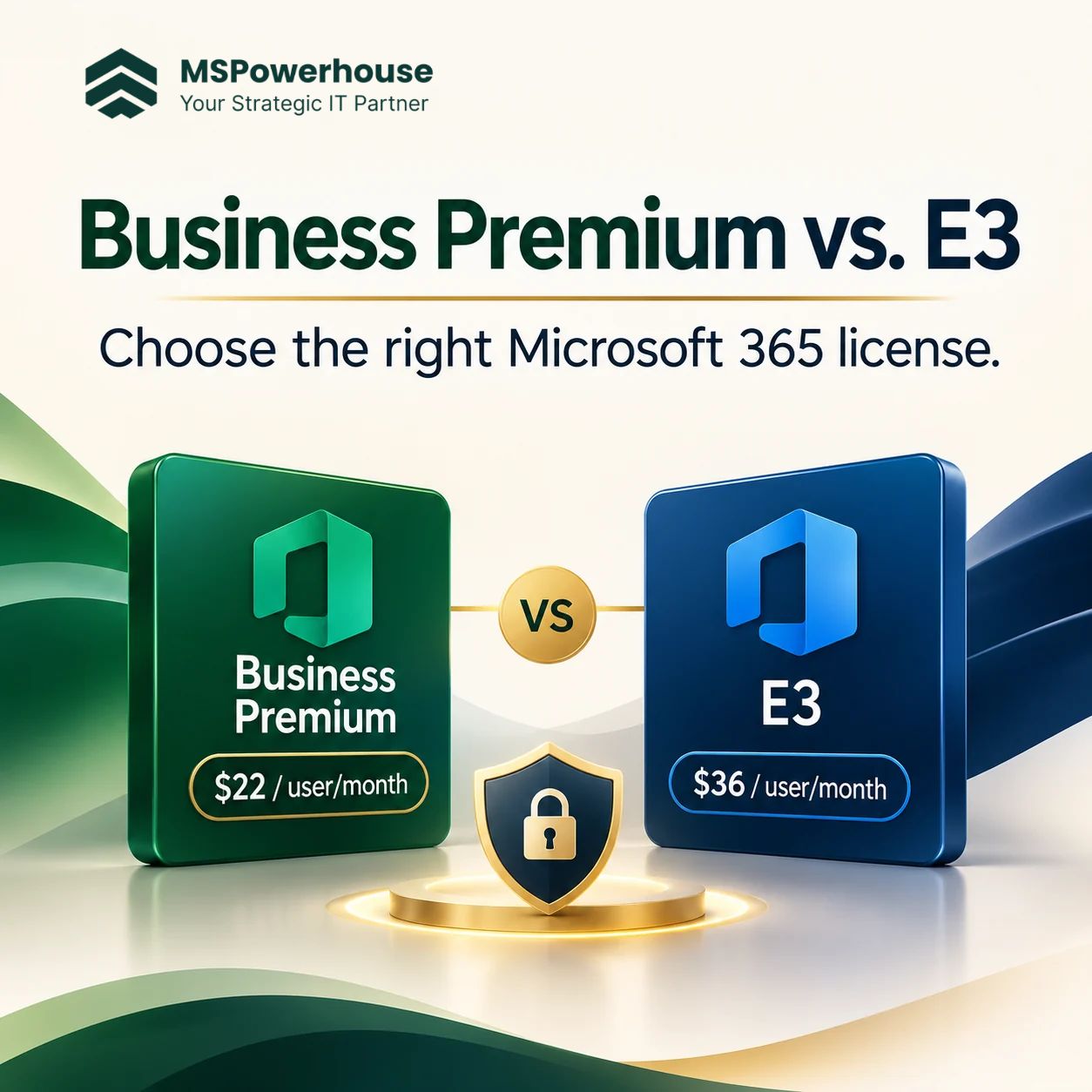
The pricing spread between Microsoft 365 Business Premium and Microsoft 365 E3 is $14.00 per user per month on standard annual commitments. While $14 per user might sound modest on an individual invoice, it compounds rapidly across mid-market organizations:
• 50 Users: $13,200 annually on Business Premium versus $21,600 on E3. Annual difference: $8,400.
• 100 Users: $26,400 annually on Business Premium versus $43,200 on E3. Annual difference: $16,800.
• 250 Users: $66,000 annually on Business Premium versus $108,000 on E3. Annual difference: $42,000.
Over a standard three-year hardware and licensing lifecycle, a 100-person company incurs over $50,400 in extra licensing fees by defaulting to E3. That capital could fund a complete zero-trust overhaul, proactive threat hunting, or a comprehensive cybersecurity and compliance assessment. To justify that expenditure, E3 must deliver tangible operational capabilities that Business Premium cannot match.
Figure 1. Annual License Spend Comparison for 100 Users: Business Premium vs. Standard E3 vs. E3 with EDR Parity.
2. The Endpoint Security Paradox: Business Premium Wins Out of the Box
The most misunderstood aspect of Microsoft cloud licensing is endpoint defense. Most executives believe that purchasing an Enterprise SKU guarantees superior threat detection. In reality, the opposite is true for out-of-the-box deployments.
Microsoft 365 Business Premium includes Microsoft Defender for Business, an enterprise-grade Endpoint Detection and Response (EDR) platform designed for companies with up to 300 users. Defender for Business incorporates continuous behavioral monitoring, automated threat investigation and remediation, attack surface reduction rules, cross-platform support across Windows, macOS, iOS, Android, and Linux, and integrated vulnerability management.
In stark contrast, base Microsoft 365 E3 includes only Microsoft Defender for Endpoint Plan 1. Plan 1 is limited to next-generation antivirus and basic attack surface reduction. It lacks automated investigation and remediation (AIR), contains no advanced threat hunting capabilities, and provides no built-in threat intelligence analytics. When ransomware detonates or living-off-the-land techniques execute on an endpoint, Defender for Endpoint Plan 1 alerts your administrator, but it will not automatically isolate the host or quarantine malicious processes.
To achieve genuine parity with the EDR capabilities already built into Business Premium, an organization running Microsoft 365 E3 must purchase the Microsoft Defender for Endpoint Plan 2 standalone add-on at $5.20 per user per month, or upgrade to the Microsoft 365 E5 Security add-on at $12.00 per user per month. This widens the effective cost gap to $41.20 vs. $22.00, pushing the annual difference for 100 users past $23,000.
Figure 2. Detailed security component comparison between Business Premium and base Enterprise E3.
3. Feature-by-Feature Entitlement Matrix
Both SKUs include core productivity applications, identity governance via Microsoft Entra ID Plan 1 Conditional Access, and centralized device management via Microsoft Intune Plan 1. However, crucial architectural differences exist in mailbox capacities, cloud storage expansion, and compliance enforcement.
Table 1. Architectural and entitlement comparison between Microsoft 365 Business Premium and Microsoft 365 E3. *OneDrive expands to 5 TB upon Microsoft Support ticket for tenants with 5+ users.
Capability / Service | Business Premium ($22/mo) | Microsoft 365 E3 ($36/mo) |
Maximum User Limit | Strict cap of 300 licenses | Unlimited users (1 to 100,000+) |
Primary Mailbox Quota | 50 GB per user (Exchange Plan 1) | 100 GB per user (Exchange Plan 2) |
Email Archiving | Auto-expanding archive (up to 1.5 TB) | Auto-expanding archive (up to 1.5 TB) |
OneDrive Cloud Storage | 1 TB per licensed user | 1 TB initially (expandable to 5 TB*) |
Endpoint Security (EDR) | Defender for Business (Full EDR + AIR) | Defender for Endpoint P1 (Basic AV only) |
Device Management | Microsoft Intune Plan 1 included | Microsoft Intune Plan 1 included |
Identity & Access (IAM) | Entra ID Plan 1 (Conditional Access) | Entra ID Plan 1 (Conditional Access) |
Virtual Desktop / VDI | Shared Computer Activation (AVD/W365) | Shared Computer Activation (AVD/RDS/VDI) |
Information Protection | Purview Information Protection (Manual) | Purview Information Protection & Advanced DLP |
Legal Hold & eDiscovery | Basic retention policies | Purview eDiscovery (Standard) & Litigation Hold |
4. When Microsoft 365 E3 Is Truly Required
While Business Premium is the optimal choice for the vast majority of midsize companies, Microsoft 365 E3 is not obsolete. It serves specific technical and regulatory operational profiles that cannot function within Business Premium constraints:
A. Organizations Surpassing the 300-Seat Hard Ceiling
Microsoft enforces a strict limit of 300 Business Premium licenses per tenant. Once an organization reaches 301 knowledge workers, it cannot assign an additional Business Premium SKU. At that scale, companies must either migrate their tenant to Enterprise licensing or adopt a hybrid licensing architecture.
B. Power Users Requiring 100 GB Primary Mailboxes
Business Premium includes Exchange Online Plan 1, capping primary mailboxes at 50 GB. While an auto-expanding archive accommodates up to 1.5 TB of historical messages, certain executive assistants, litigators, or sales directors accumulate active inbox folders that exceed 50 GB. In those scenarios, Exchange Online Plan 2 limits (included in E3) provide a 100 GB primary mailbox without requiring third-party archiving tools.
C. Strict Regulatory Legal Hold and eDiscovery Mandates
Organizations operating in heavily regulated sectors subject to SEC, FINRA, HIPAA, or frequent litigation require immutable legal holds. Microsoft 365 E3 includes Microsoft Purview eDiscovery Standard and Litigation Hold, allowing legal teams to preserve mailbox and document states even if users delete files locally.
D. Complex Non-Azure Remote Desktop Server Farms
A common historical myth is that Business Premium cannot run on virtual desktops. In fact, Microsoft enabled Shared Computer Activation for Microsoft 365 Apps for business, allowing full deployment on Azure Virtual Desktop and Windows 365. However, if your business runs traditional on-premises multi-session Remote Desktop Services (RDS) hosted on third-party private clouds, Enterprise licensing remains technically mandated by Microsoft licensing terms.
Figure 3. Strategic decision framework for evaluating Business Premium vs. Enterprise E3.
5. The Dual-Persona Strategy: How Smart Companies Mix SKUs
The most profitable licensing move for companies between 50 and 280 seats is abandoning the 'one-license-fits-all' mindset. Microsoft allows tenants to mix and match commercial and enterprise licenses seamlessly within the same admin center.
Consider a 120-person engineering and consulting firm. Rather than purchasing 120 Microsoft 365 E3 licenses at $4,320 per month ($51,840 annually), the organization conducts a user audit and establishes two distinct personas:
• Standard Knowledge Workers (100 Users): Engineers, marketing, sales, and operations staff who need desktop Office apps, Intune device protection, Conditional Access MFA, and EDR threat remediation. They receive Business Premium at $22/seat ($2,200/mo).
• Executive & Legal Specialists (20 Users): Senior leadership, finance directors, and in-house legal counsel with mailboxes exceeding 50 GB who require Purview Litigation Hold and eDiscovery. They receive Microsoft 365 E3 + Defender for Endpoint P2 at $41.20/seat ($824/mo).
The blended monthly cost is $3,024, or $36,288 annually. Compared to putting all 120 employees on E3 with EDR ($59,328 annually), the dual-persona architecture delivers an immediate annual savings of $23,040 while ensuring 100% compliance across sensitive roles.
Table 2. Financial impact of a dual-persona licensing strategy for a 120-user organization.
User Persona | Recommended SKU | Monthly Cost / Seat | Annual Spend (120 Seats) |
General Staff (100 Seats) | Business Premium | $22.00 / user | $26,400 / year |
Legal & Executives (20 Seats) | M365 E3 + Defender P2 | $41.20 / user | $9,888 / year |
Blended Architecture | Hybrid Deployment | Average $25.20 / user | $36,288 / year (Saves $23,040) |
6. The 4-Step License Optimization Protocol
Before renewing an existing Microsoft Enterprise Agreement or Cloud Solution Provider (CSP) subscription, IT leaders should execute a four-step audit:
1. Audit Mailbox Size Distribution: Pull mailbox usage statistics via the Exchange admin center. Identify how many mailboxes genuinely exceed 40 GB. Users below 40 GB should immediately be mapped to Business Premium.
2. Inspect Active InTune and EDR Policies: Verify whether endpoint detection is currently managed by third-party agents (e.g., CrowdStrike, SentinelOne) or Defender. If paying for standalone EDR while running E3, switching to Business Premium eliminates third-party licensing redundancy.
3. Map Genuine eDiscovery and Compliance Needs: Determine which specific employees are subject to formal legal hold mandates. Restrict Enterprise SKUs to that designated group rather than licensing the entire employee base.
4. Eliminate Inactive and Dormant Accounts: Review Entra ID sign-in logs for accounts with no activity in 90 days. Convert terminated employee mailboxes into shared mailboxes (which do not require paid licenses up to 50 GB) and recover assigned SKUs.
7. How MSPowerhouse Optimizes Your Microsoft Cloud Architecture
Navigating Microsoft licensing rules, CSP commitments, and tenant security configurations requires dedicated engineering oversight. MSPowerhouse delivers enterprise-grade IT infrastructure and cloud governance tailored specifically for high-growth businesses.
Our team of Microsoft-certified systems engineers assists organizations across every phase of the cloud lifecycle:
• Licensing Audits & Architecture: Through our Microsoft 365 Consultation services, we analyze tenant telemetry, eliminate phantom licenses, and implement optimized persona mixes that reduce annual SaaS spend.
• Proactive Managed IT & Support: Our complete Managed IT services deliver 24/7 endpoint monitoring, Intune policy management, patch compliance, and rapid user support under flexible month-to-month agreements with zero upfront setup fees.
• Zero-Trust Endpoint Defense: With our Cybersecurity and Mobile Device Management engineers, we configure Defender for Business, enforce automated threat remediation, deploy Conditional Access controls, and secure multi-platform fleets.
Take the guesswork out of your Microsoft cloud investment. Book a free IT consultation or request a comprehensive Cloud & Security Assessment to review your license allocation, strengthen endpoint protection, and eliminate unnecessary recurring overhead.
Authoritative Sources & Technical Documentation
Microsoft 365 Business Premium Documentation & Architecture: https://learn.microsoft.com/en-us/microsoft-365/business-premium/
Microsoft Defender for Business Overview and Feature Set: https://learn.microsoft.com/en-us/defender-business/mdb-overview
Microsoft Defender for Endpoint Plan 1 Capabilities and Architecture: https://learn.microsoft.com/en-us/defender-endpoint/defender-endpoint-plan-1
Microsoft Intune Fundamentals and Mobile Device Management: https://learn.microsoft.com/en-us/mem/intune/fundamentals/what-is-intune
Microsoft Entra ID Conditional Access Deployment Guide: https://learn.microsoft.com/en-us/entra/identity/conditional-access/overview
Microsoft 365 Enterprise Plan Options and Service Descriptions: https://learn.microsoft.com/en-us/office365/servicedescriptions/office-365-platform-service-description/office-365-plan-options
Exchange Online Service Limits and Storage Specifications: https://learn.microsoft.com/en-us/office365/servicedescriptions/exchange-online-service-description/exchange-online-limits
Overview of Shared Computer Activation for Microsoft 365 Apps: https://learn.microsoft.com/en-us/deployoffice/overview-shared-computer-activation
Microsoft Purview eDiscovery and Compliance Architecture: https://learn.microsoft.com/en-us/purview/ediscovery
CISA: Secure Our World Cybersecurity Guidance for Businesses: https://www.cisa.gov/secure-our-world