Overview
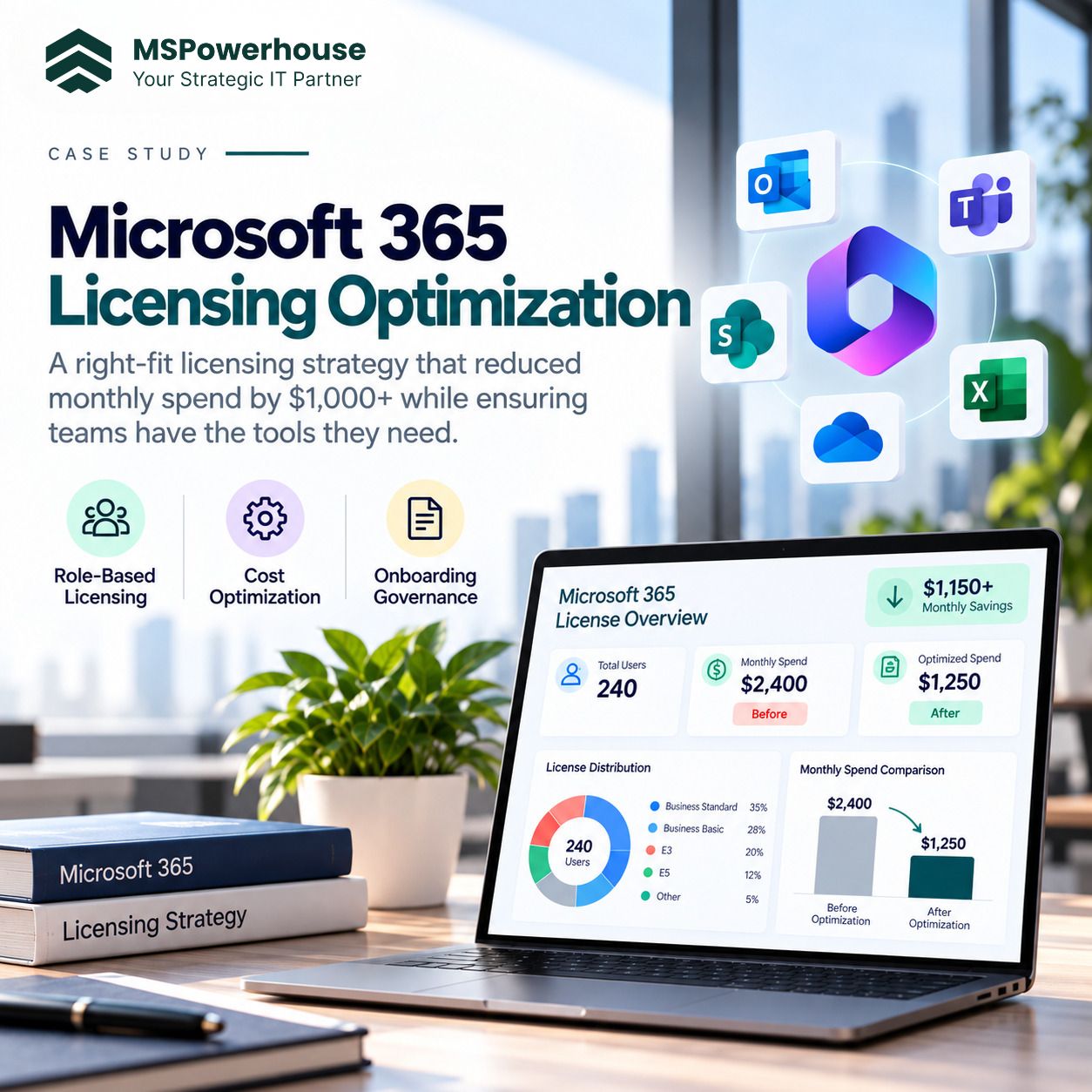
The client was overspending on Microsoft 365 licensing because many users were assigned bundled licenses even though they did not need every service included in those packages. This created recurring monthly waste and made license management harder to control as the organization grew. MSPowerhouse performed a detailed Microsoft 365 licensing review and identified that the client could reduce cost by moving away from a one-size-fits-all bundled licensing model. Instead, MSPowerhouse designed a mix-and-match licensing approach that assigned each user only the services they actually needed.
Challenge
- Users were assigned licenses that exceeded their actual job requirements.
- The client was paying for services that were not being used.
- Licensing decisions were not tied to role, department, or access need.
- New users were being onboarded into the same expensive licensing pattern.
- There was no automated process to apply the correct license based on employee type.
- Offboarding did not consistently remove or reclaim licenses quickly enough.
Solution
MSPowerhouse reviewed the client's user base, license assignments, access needs, mailbox requirements, Microsoft 365 application usage, and role-based requirements. Based on this analysis, MSPowerhouse developed a mix-and-match licensing model.
Instead of assigning every user the same bundled license, users were categorized by actual need. For example, some users required full Microsoft 365 capabilities, while others only needed email, basic Office apps, Teams access, or limited service access. This allowed the client to keep higher-level licenses only where they were truly required and assign lower-cost or more specific licenses elsewhere.
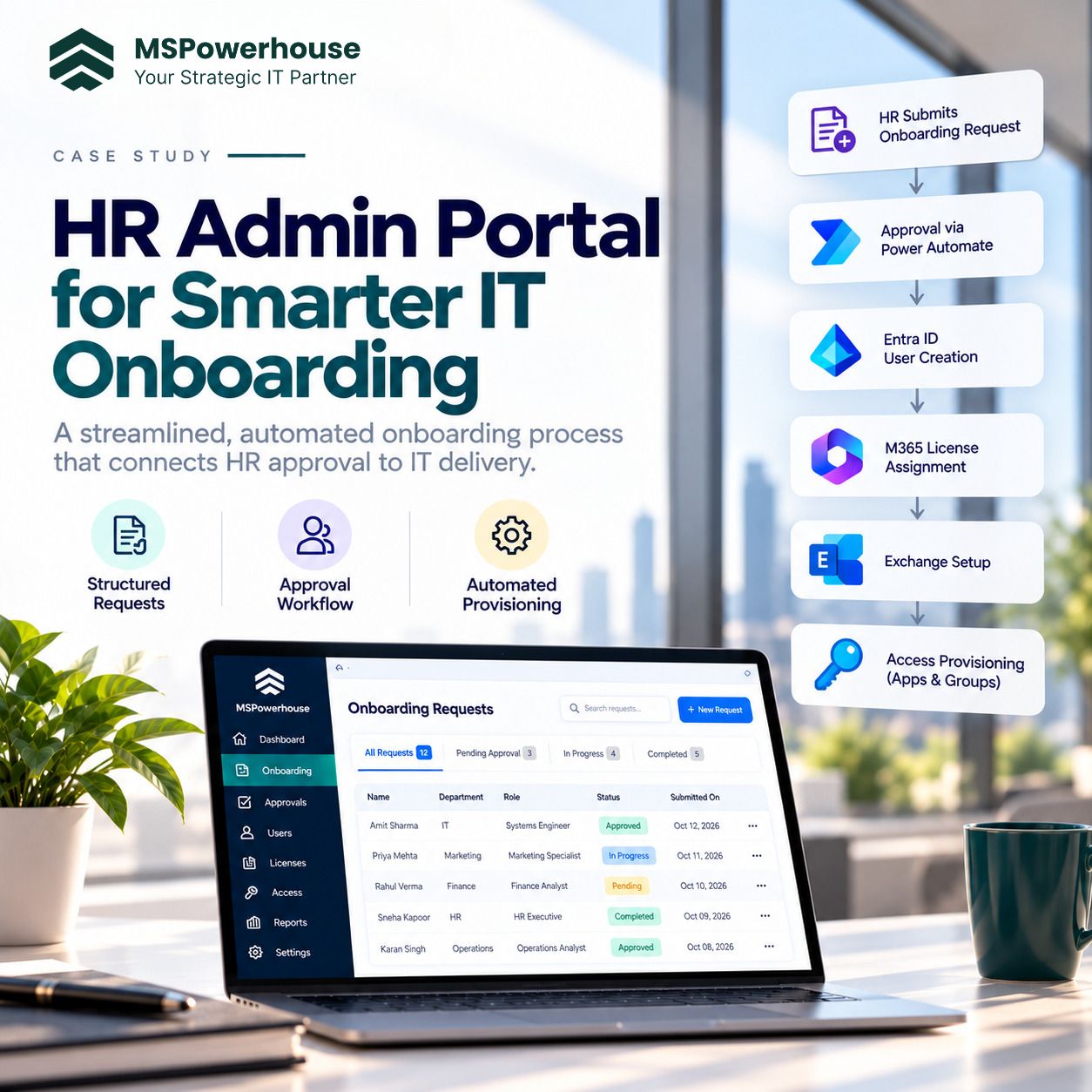
MSPowerhouse then connected the licensing strategy to the onboarding process so future users would not automatically receive overpowered licenses. The license assignment became part of a governed user lifecycle process instead of a manual afterthought.
Technical Execution
- Microsoft 365 licensing assessment.
- Review of existing bundled license usage.
- Identification of over-licensed users.
- Role-based license mapping.
- Mix-and-match licensing recommendations.
- Entra ID license assignment planning.
- Exchange Online mailbox requirement review.
- License reclamation from inactive or offboarded users.
- Integration of licensing logic into the onboarding workflow.
- Governance process to prevent future over-licensing.
Outcome
MSPowerhouse helped the client save upward of $1,000 per month in recurring Microsoft 365 licensing cost. The client also gained a cleaner licensing structure that better aligned cost with actual business need.
Impact
This project delivered immediate financial value and created long-term governance. The client was no longer paying for unnecessary bundled licensing across users who did not need it. More importantly, the licensing model became tied to the employee lifecycle, so new users could be assigned the right license from the beginning. Why It Matters Many organizations overspend on Microsoft 365 because licenses are assigned for convenience rather than need. MSPowerhouse helped the client reduce recurring cost without reducing productivity by matching users to the right licensing combination and embedding that logic into the onboarding process.